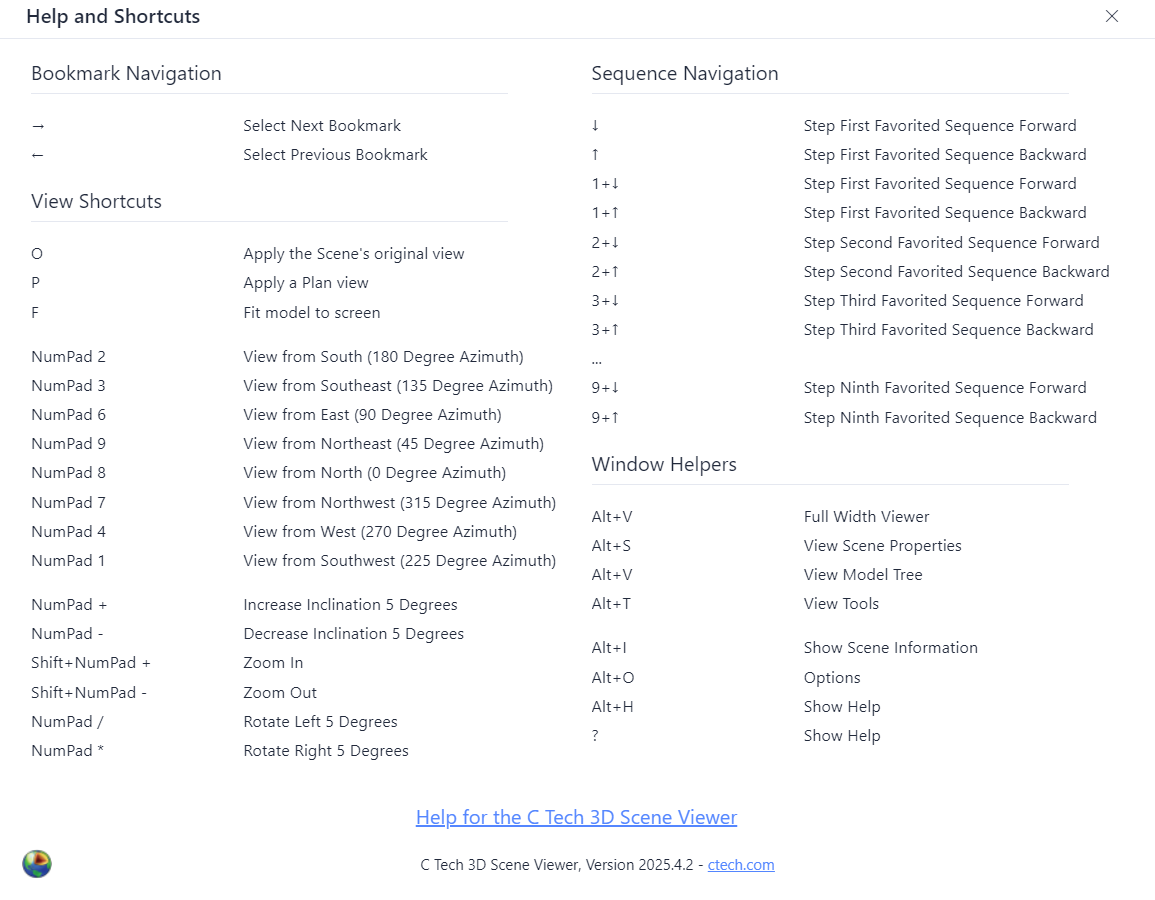
Press ? (or Shift+/) anywhere in the viewer to show the shortcuts dialog.
Info
Numpad shortcuts require a physical numeric keypad. Some shortcuts may not be available on tablets or phones without an external keyboard. Click inside the viewer window to ensure it has focus before using shortcuts.
View Shortcuts
| Shortcut | Action |
|---|---|
| O | Original scene view |
| P | Plan view (top-down) |
| F | Fit scene to screen |
Numpad Navigation
The numeric keypad maps to compass directions, matching the spatial layout of the keys:
| Shortcut | Action |
|---|---|
| Numpad 7 | View from NW |
| Numpad 8 | View from N |
| Numpad 9 | View from NE |
| Numpad 4 | View from W |
| Numpad 6 | View from E |
| Numpad 1 | View from SW |
| Numpad 2 | View from S |
| Numpad 3 | View from SE |
| Shortcut | Action |
|---|---|
| Numpad + / − | Increase / decrease inclination (tilt up or down) |
| Shift + Numpad + / − | Zoom in / out |
| Numpad / (divide) | Rotate left |
| Numpad * (multiply) | Rotate right |
Bookmark and Sequence Shortcuts
| Shortcut | Action |
|---|---|
| Up Arrow | Previous bookmark |
| Down Arrow | Next bookmark |
| Left Arrow | Step active favorited sequence backward |
| Right Arrow | Step active favorited sequence forward |
| 1–9 + Left/Right | Step a specific favorited sequence (hold the number key, press arrow) |
Info
When more than one sequence is favorited and visible, the number keys let you control each one independently. The number corresponds to the sequence’s position in the toolbar (first favorited sequence = 1, second = 2, etc.).
Panel Shortcuts
| Shortcut | Action |
|---|---|
| Alt+V | Full viewer (close all panels) |
| Alt+S | Scene Properties panel |
| Alt+M | Model Tree panel |
| Alt+T | Tools panel |
| Alt+I | Scene Information |
| Alt+H | Help |
| Alt+O | Options |