Published April 2024 - Based on EVS Version 2024.3.0
I know that many of our users employ the distance to area module to cut away portions of their grid when the site boundaries are complex, but if you’re doing that without also using mask horizons, you’re missing a huge advantage with many positive consequences.
mask horizons provides a way to mask cells in the grid created by gridding and horizons. It can only be used directly after gridding and horizons and when used properly it removes regions of cells and their associated nodes from the grid, based upon an input surface, a.k.a. polygon mask.
- What does this do for you?
- The masked regions are truly gone.
- Those nodes and cells are not included in any analytic or geologic estimates downstream, which will reduce the computation times and memory footprint.
Let’s look at a dataset where mask horizons will cut your computation time and memory usage by over 80%.
In the “Lithologic Geologic Modeling” folder of Studio Projects you will find roadbase_lithology.pgf.
When we open that file in post samples and build a rectilinear grid in gridding and horizons (with a default 10% offset) we get this.
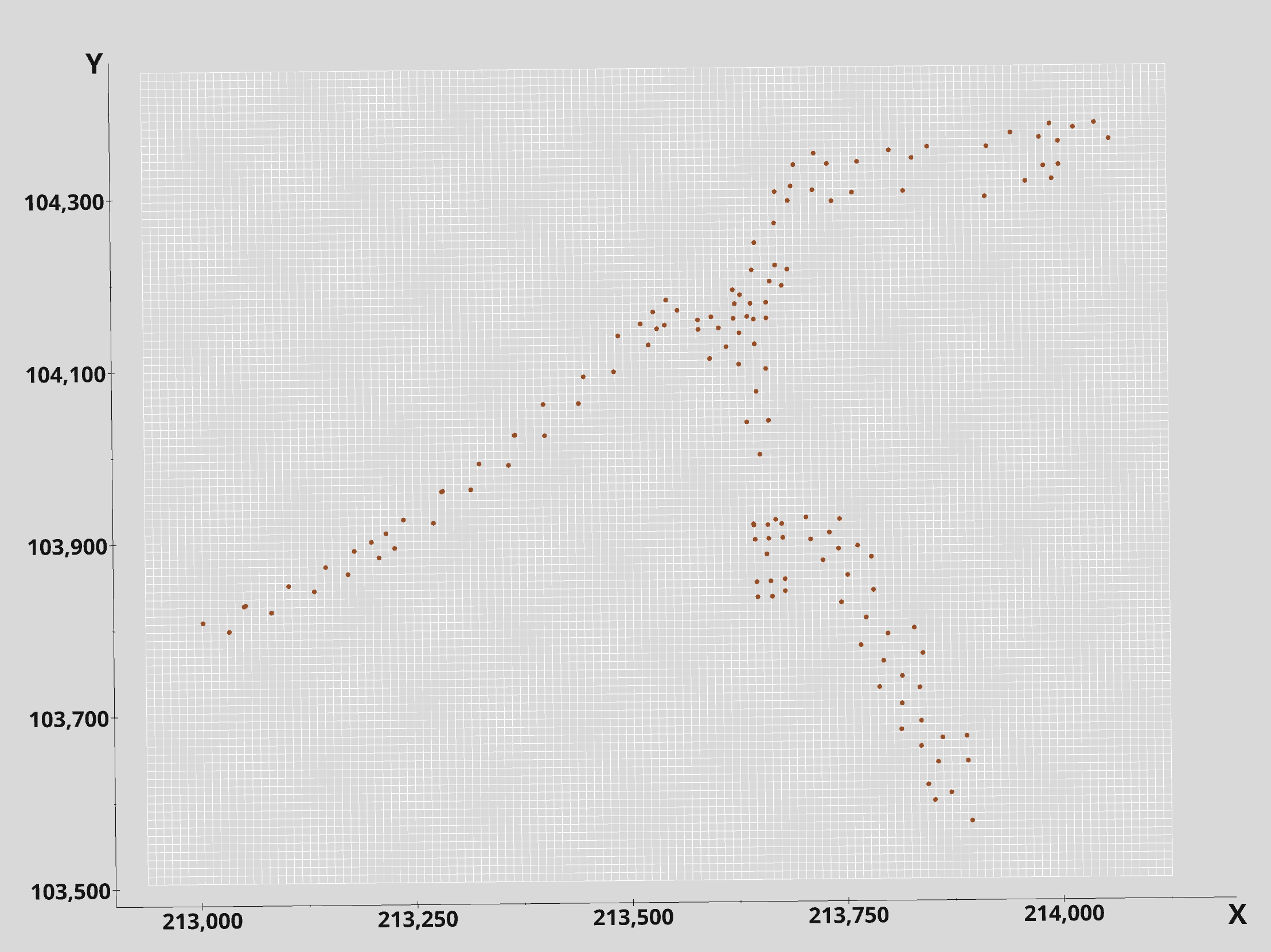
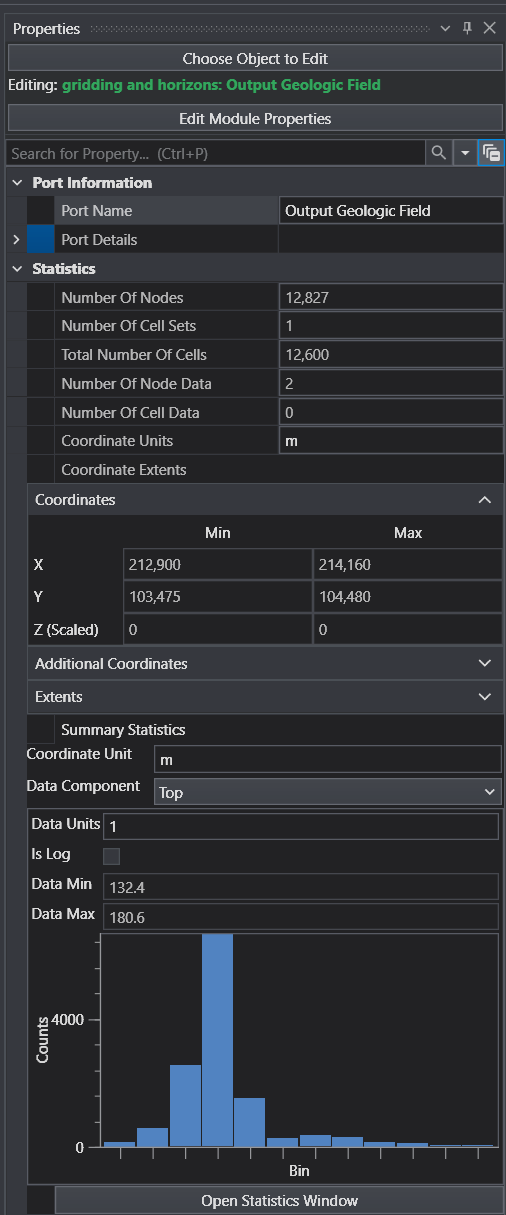
I used x-y resolutions of 127 x 101 to yield approximately 10 m square cells. The resulting grid has 12,827 nodes as we can see by double clicking on the blue output port of gridding and horizons. However, we can see that only a small portion of the grid area has data.
How do we confine the lithologic modeling to only those areas where there is data?
- The first step is to create or use an existing polygonal area which is confined to the regions with borings.
- We’ll do this using the draw lines module together with triangulate polygons.
- We’ll use the Top View Mode “Drawing Style”.
- After adding ~25 points we see
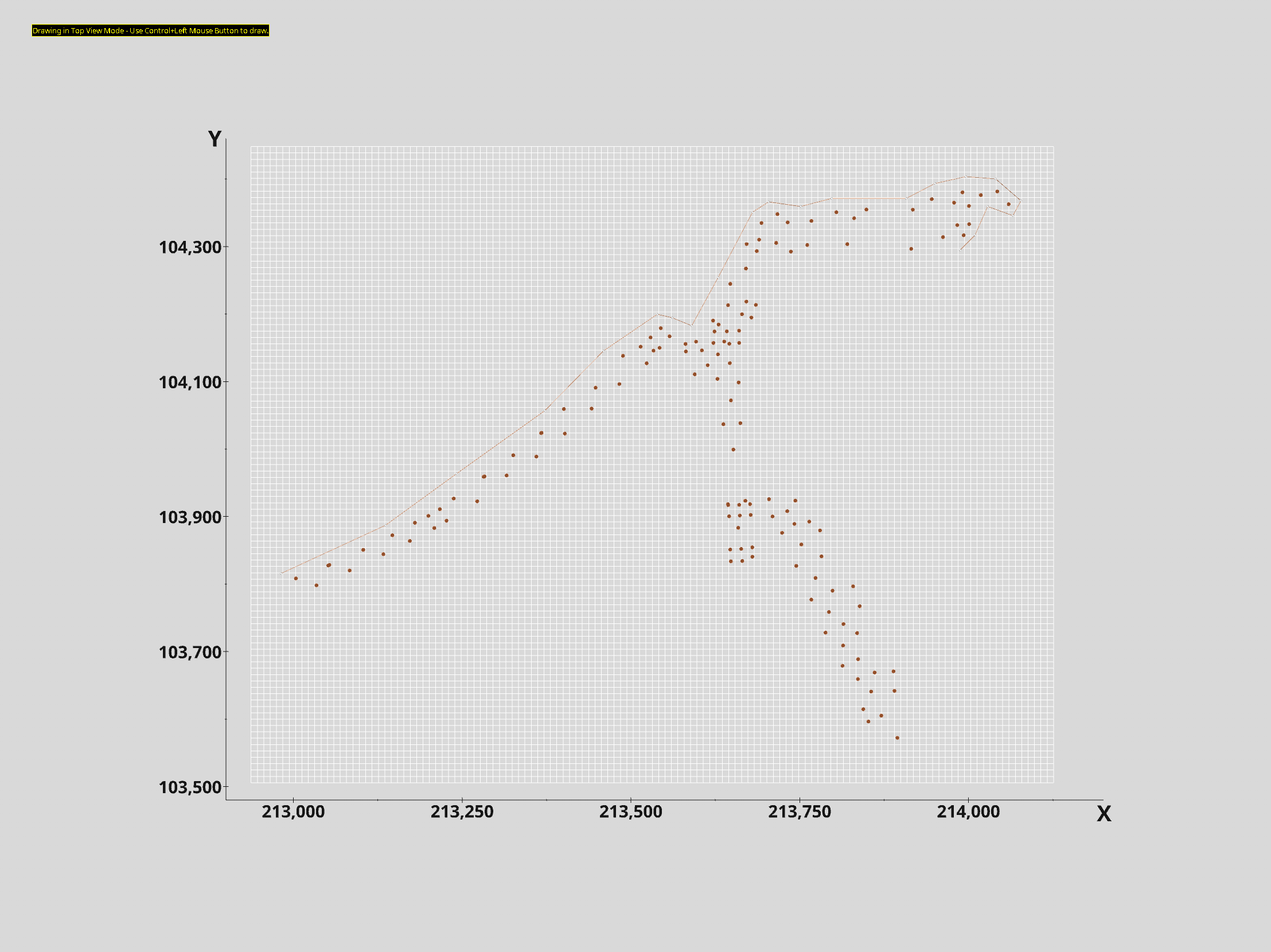
With this approach, you choose how close you want to crop the grid to the data. In this case I’m staying close and that requires more points in my polygon boundary.
When your starting and ending points are close to each other, click the CLOSED toggle to close your boundary. This yields:
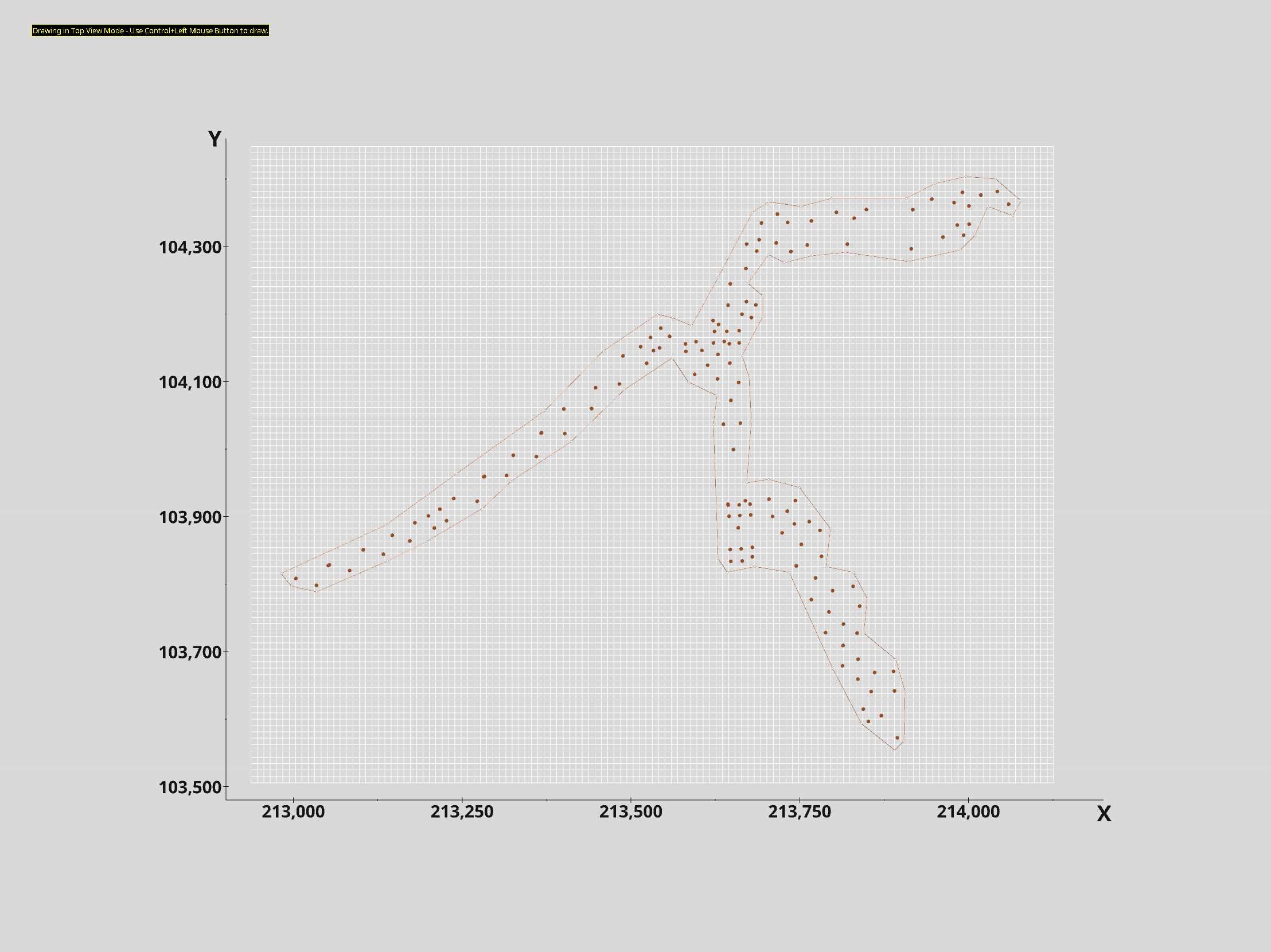
If we connect draw lines to triangulate polygons we get this:
Note: I’ve made the polygon transparent so we can still see the borings.
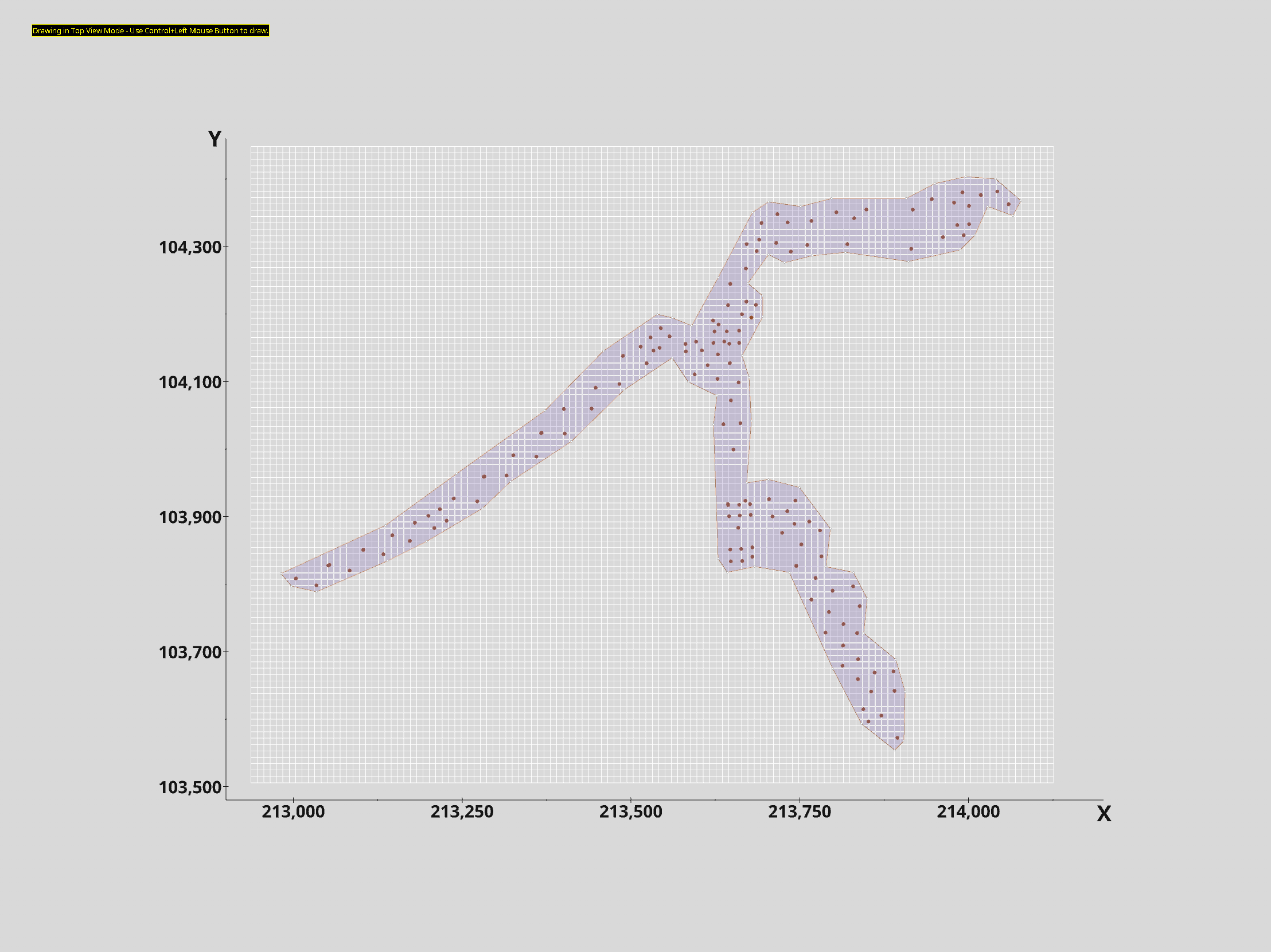
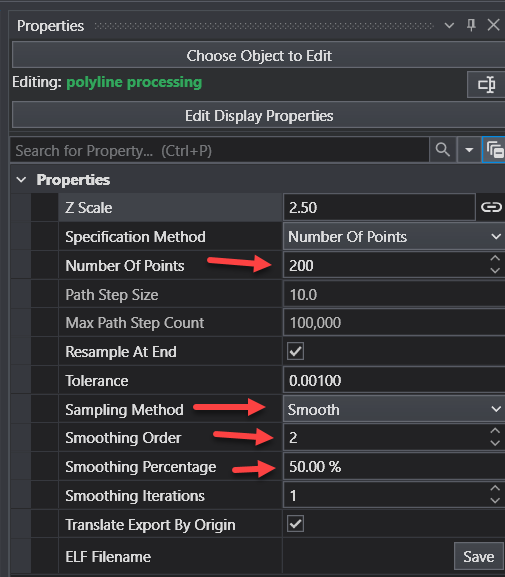
There is nothing wrong with this polygon, but I prefer a smoother boundary without the sharp corners. We can easily get this using the polyline processing module. Try these settings as a good starting point to give us a much smoother boundary.
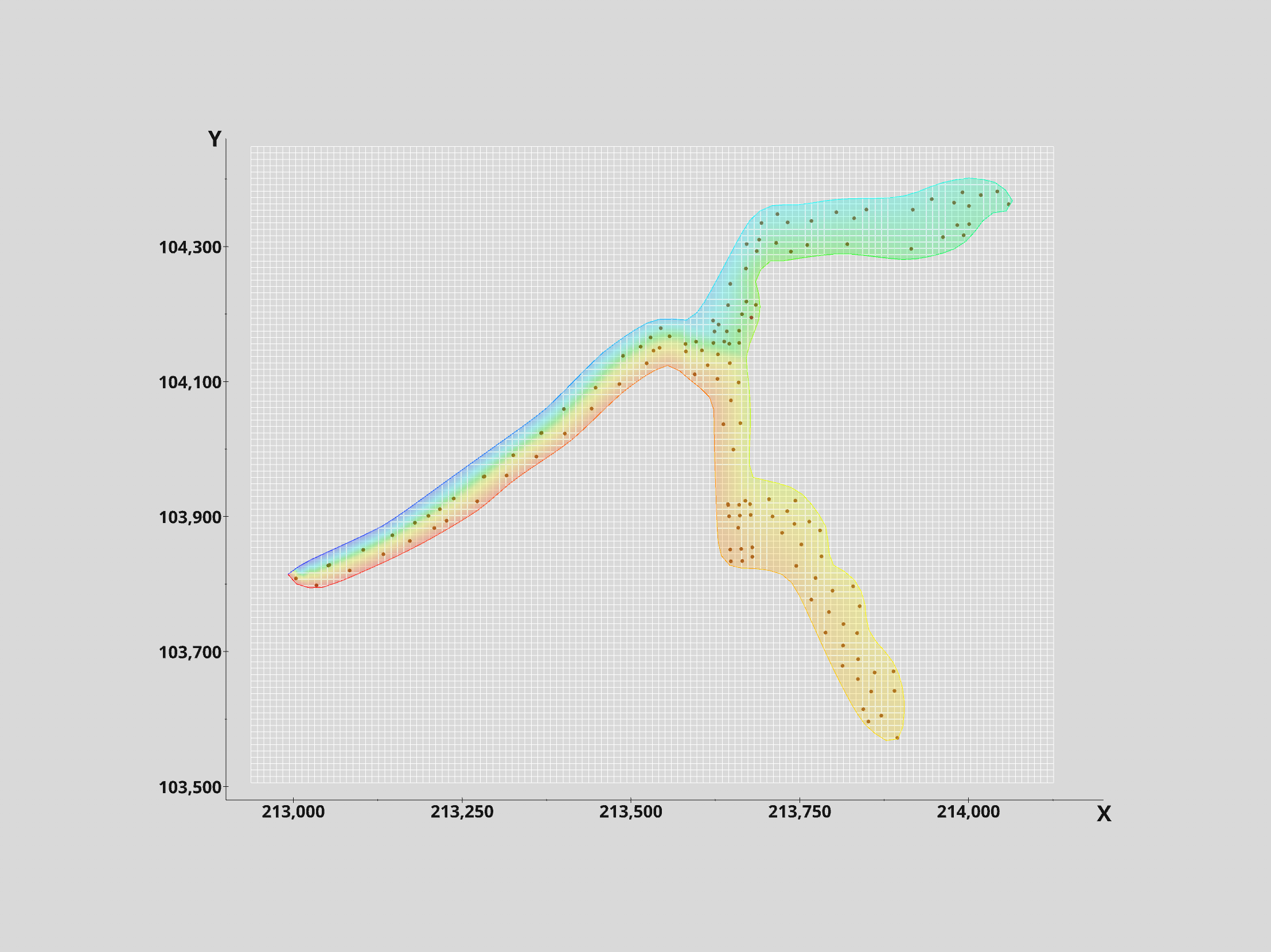
Note that the colors of the polygon changed because the smoothed lines have data corresponding to the node number. This allows us to see where we started (blue) and where we ended (red).
If we want to see how much we’ve reduced the original grid which had 12,827 nodes, we’ll need to grab another module: surface from horizons and double click on its blue output port to see our new grid’s statistics:
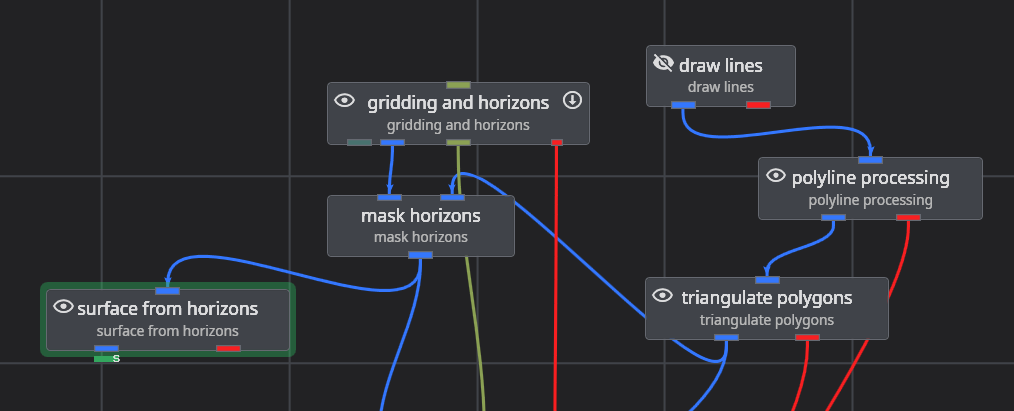
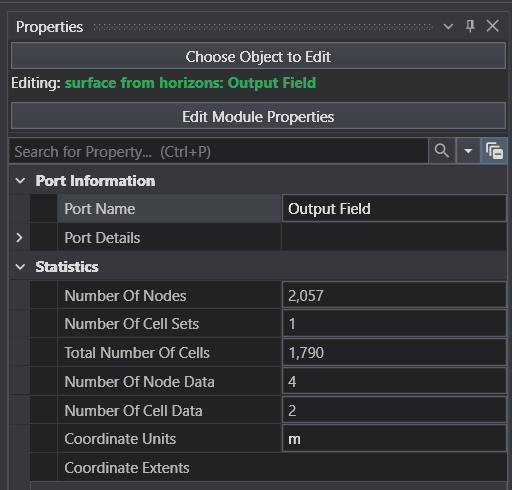
With only 2,057 nodes we’ve reduced the original grid by 84%!
You should be thinking “Why can’t I just use the blue output port of mask horizons? The answer is that it will still show the original number of nodes. That is because the masked nodes are only flagged (as NULL) for later removal by downstream modules.
You might also wonder if an 84% reduction in the 2D grid will still be an 84% reduction in the 3D grid. That answer is YES!
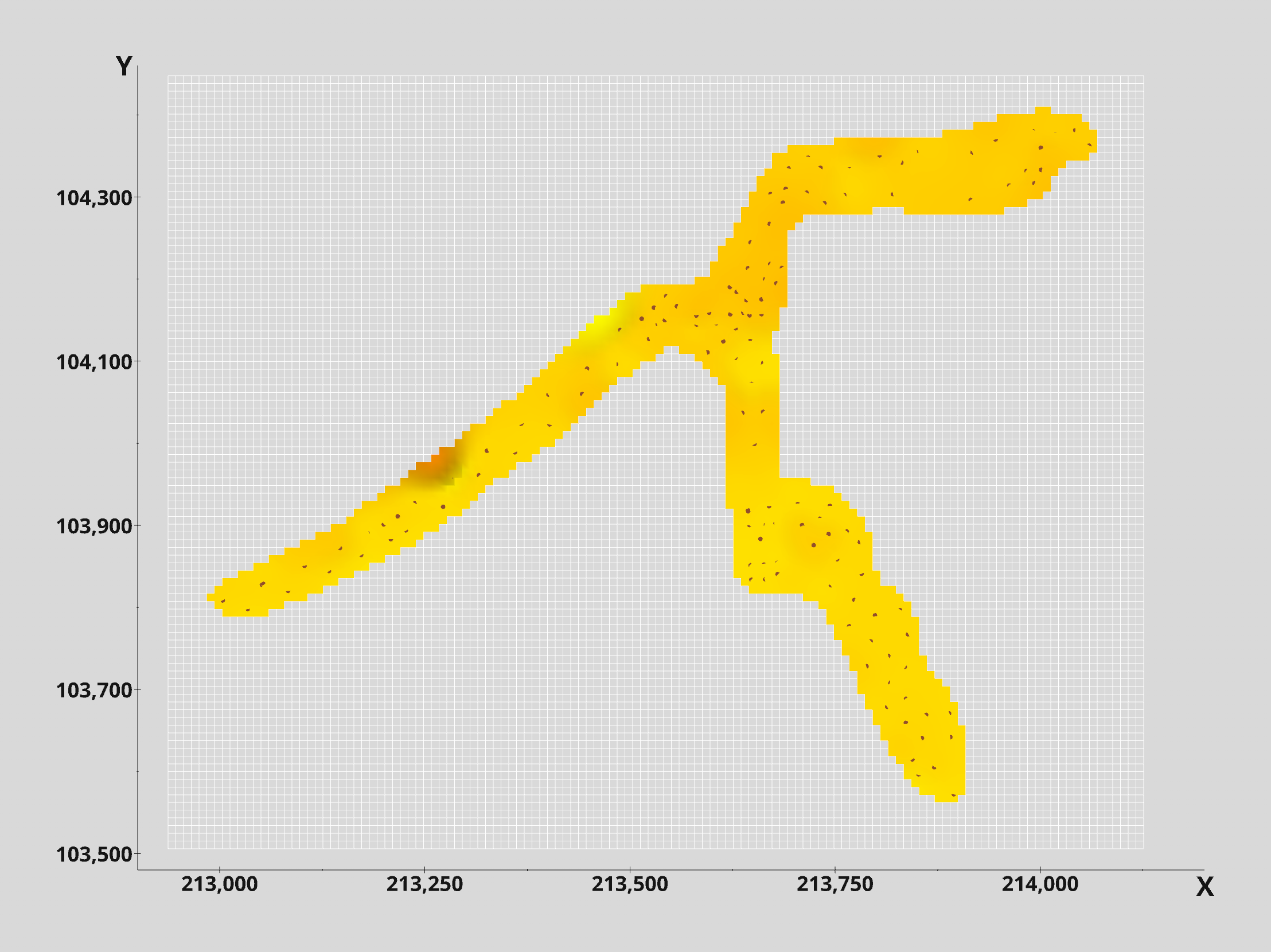
So what does our grid actually look like? Is it smooth like our polygon?
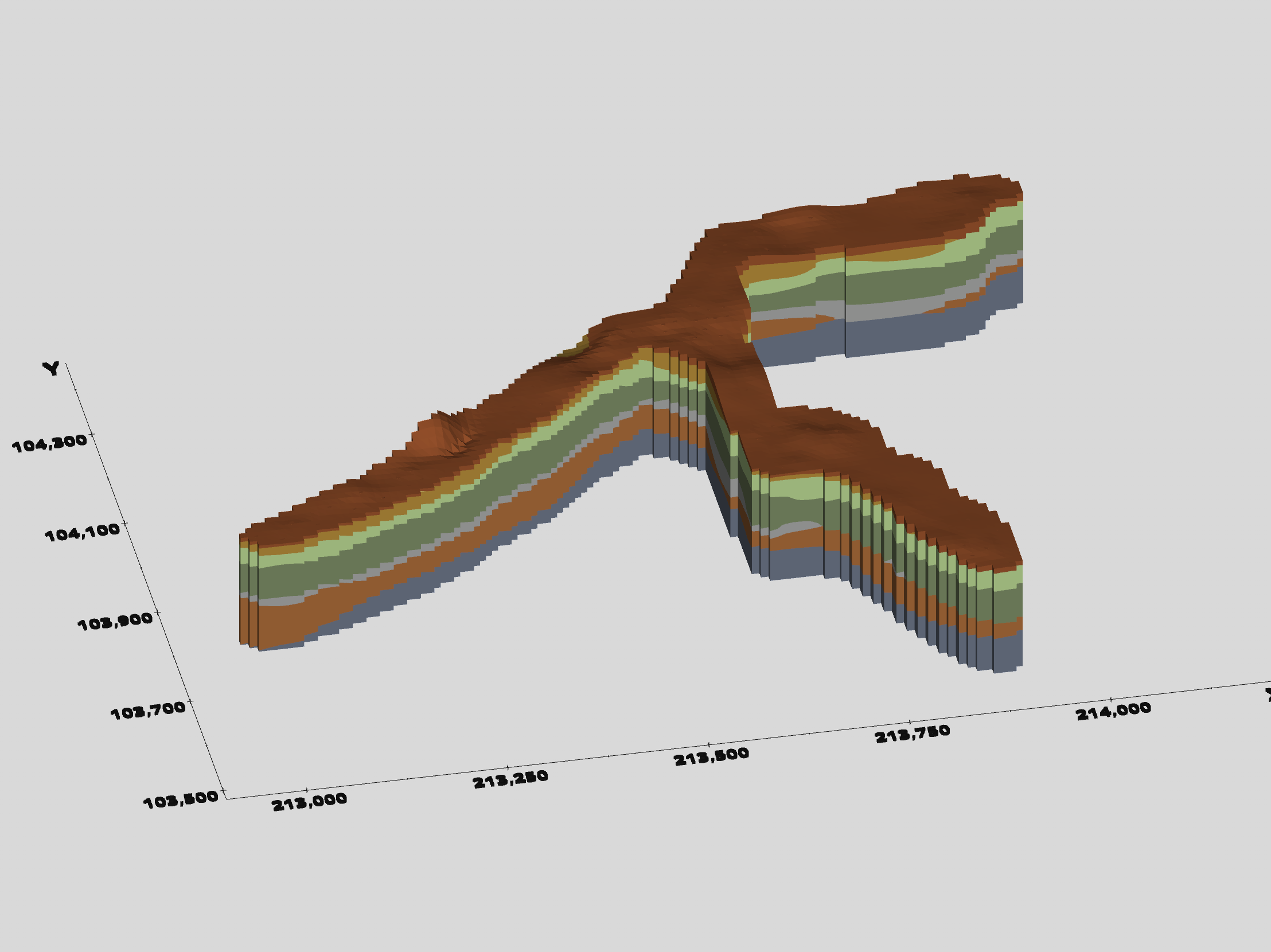
No, it is not smooth. It is Lego-Like because mask horizons marks cells for removal (or NULL treatment), so it is chunky at the resolution of our grid. However, this lego-ish grid created with the default settings of mask horizons will fully include all cells that even touch our smooth polygon. This ensures that we can later create a smooth boundary.
So, when we run the lithologic modeling module the 3D model will have lego-like boundaries
Our application to model this data has evolved as shown below. This has been saved for you as
roadway-lithology.mask-horizons.evs
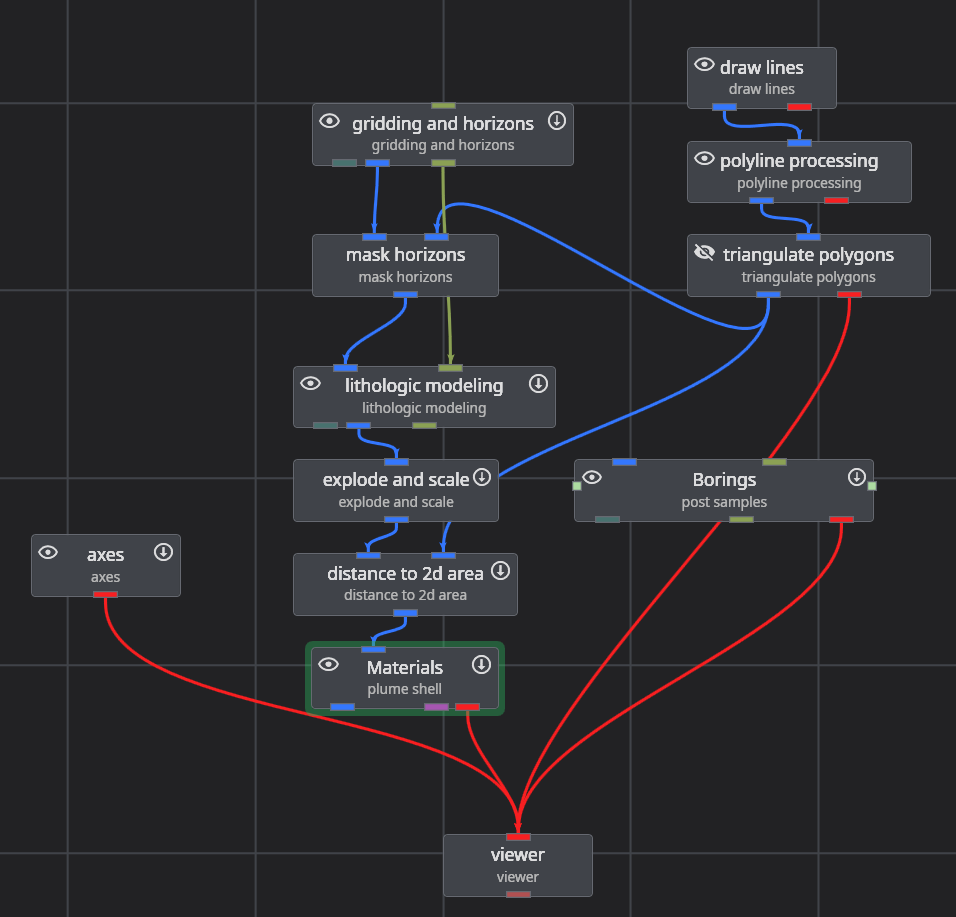
Note that we’re still using distance to area to give us a smooth boundary.
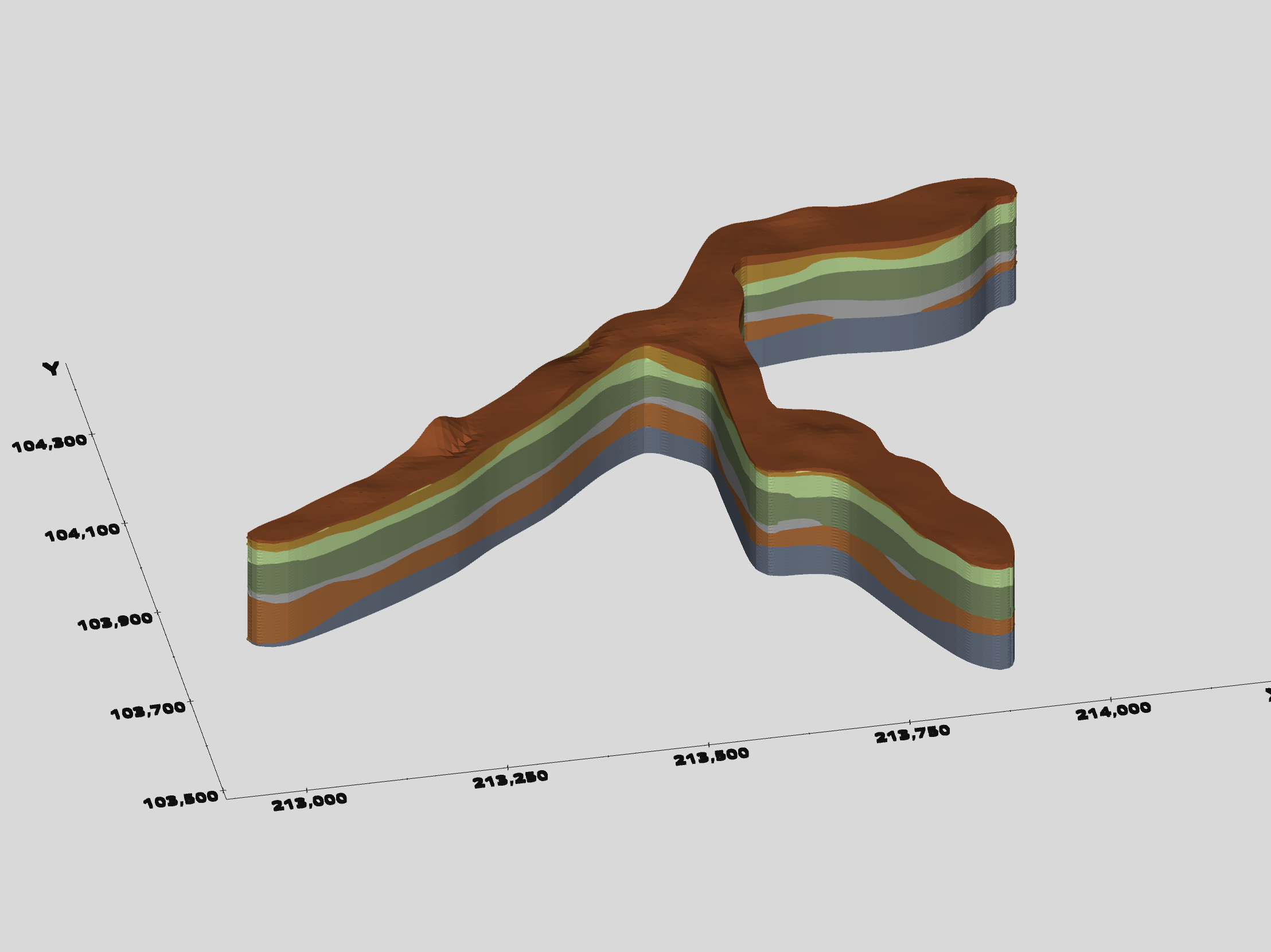
You might wonder if the final model would look any different if we never used mask horizons, and the answer is YES!
However, the run time would be more than 6 times longer!