Published May 2024 - Based on EVS Version 2024.3.0
BACKGROUND:
Based on our support inquiries, we know that many customers strive to include all aspects of a project into a single CTWS file. They may do this because of client or management pressure or because they cling to the potentially belief that more is always better than simple. Simple is often elegant and, more often, much easier for your client to use and understand. To this end, I have written this Tip to share some tricks to make your CTWSs clear and discoverable.
What helps to make a CTWS simple and discoverable?
- Descriptive and informative object (module) names in your Table of Contents (ToC)
- Use a shorter table of contents which is completely visible without scrolling
APPROACH:
One way to keep the Table of Contents succinct is to limit the scope of the CTWS. Your site may have multiple analytes, but unless you’re doing Unions or Intersections, it is easier for the client to understand how to navigate the CTWS if you restrict the content to be only one analyte. You would then use separate CTWS files for each analyte. In this way, all of your files are easier to use and understand.
Besides avoiding the risk of confusing your client, keeping your CTWS files small reduces the chance that a huge CTWS file will overwhelm your client’s modest computer that is normally used only for browsing or Word.
Below is our application to create a simple CTWS. There are no sequences in this example, but I am not suggesting that sequences need to be avoided. However, I would not recommend multiple sequences if the target user is likely to be more novice than expert.
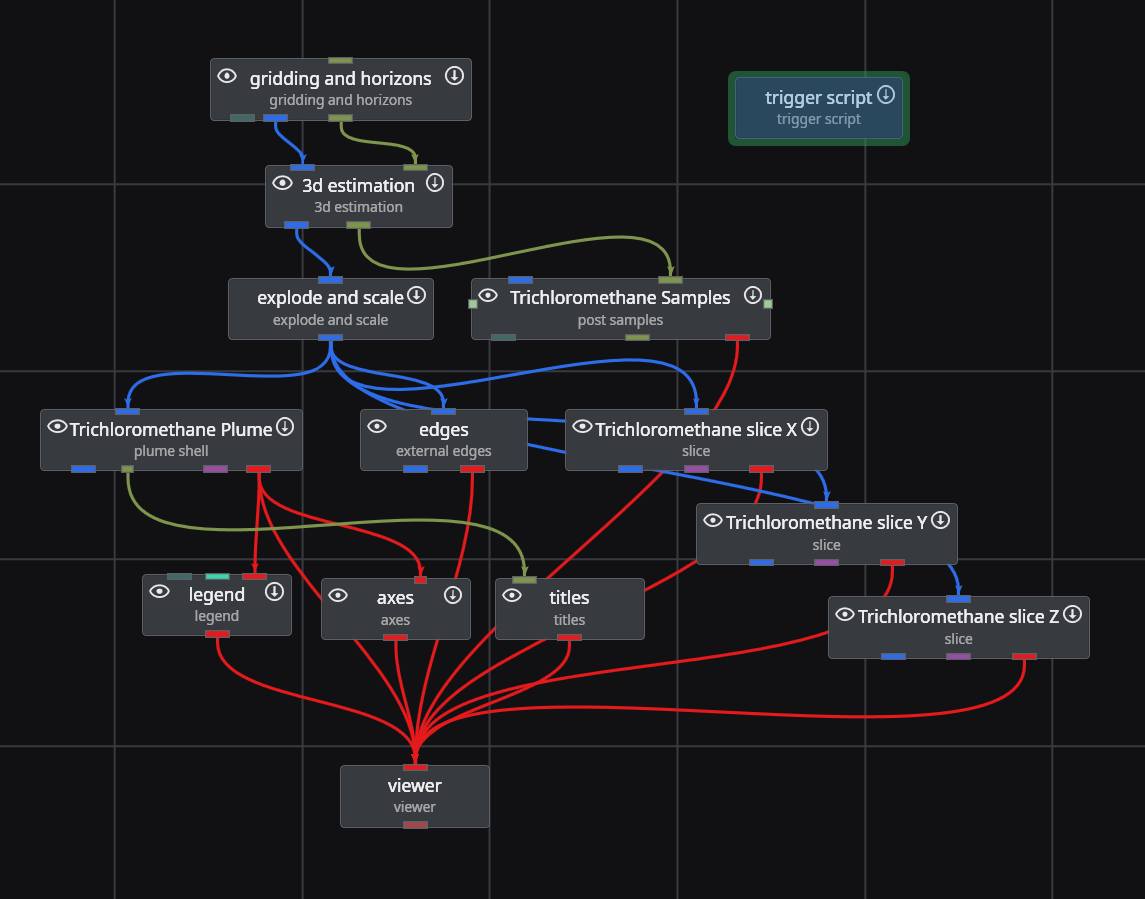
The data for this application has eight unique analytes. These could be included in a single CTWS, but the end user will need to understand how to select one sequence to change the analyte and another to change plume levels or slice positions.
What makes this approach unique is that we will be able to quickly rename modules, and therefore the objects in the CTWS ToC instantly to create a highly customized ToC for each CTWS based on its analyte. We do this using the Python script below.
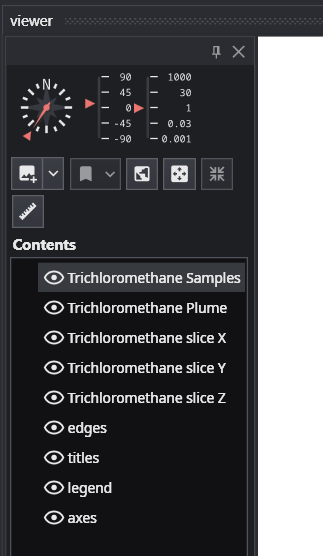
This script can be used for any application, with only needing to change the “analytes” list. We have 5 modules which include Trichloromethane in some of the module names. The corresponding ToC in EVS looks like:
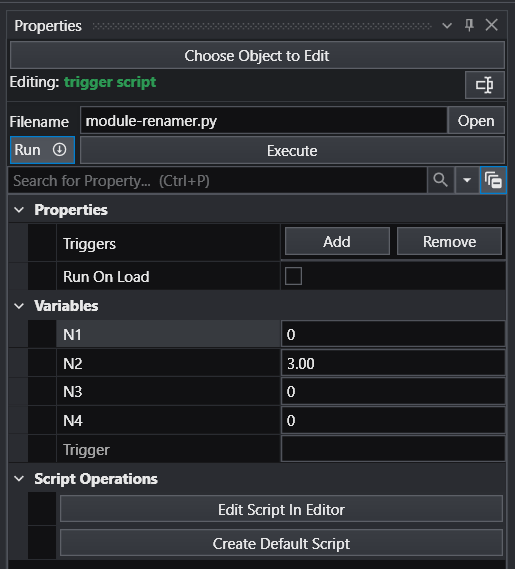
We reference this Python script in a trigger script module so it is included with our application, and so we can control the renaming using the N1 and N2 parameters. This avoids needing to edit the script.
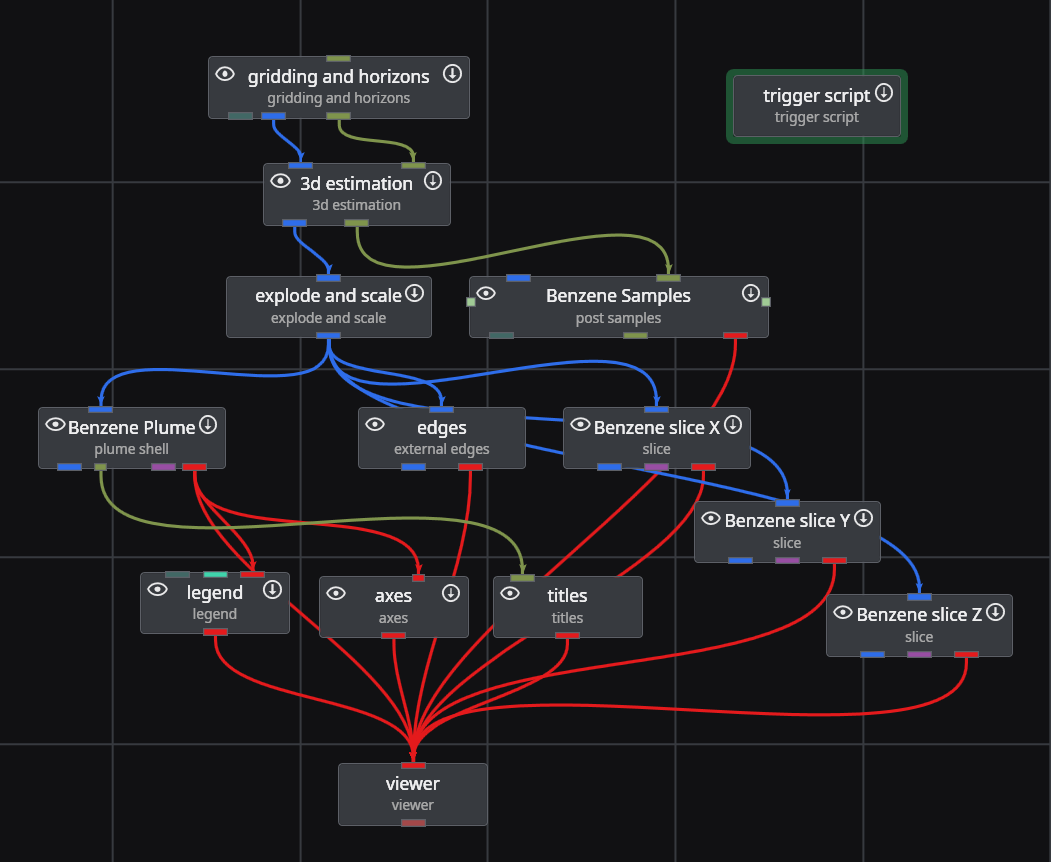
With N1 = 0 and N2 = 3, we’re searching for Trichloromethane and replacing it with Benzene (the third analyte based on Python’s zero-based counting).
When we run this script, our application becomes:
You can easily enhance this script to control the Data Component (analyte in post samples and 3d estimation) as well as automatically writing the CTWS file.