Presentation Mode optimizes the user interface for interacting with a completed application. It simplifies the workspace by hiding development-focused UI elements, allowing you to focus on the application’s controls and outputs.
Accessing Presentation Mode
You can enable Presentation Mode using the Presentation Mode button in the Main Toolbar.

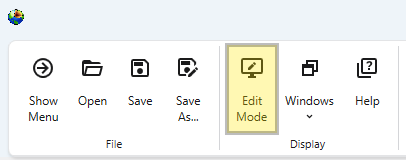
Presentation mode can be left using the Edit Mode button in the Main Toolbar. This button is only visible when Presentation Mode is active.
Purpose of Presentation Mode
Presentation Mode provides a cleaner, more streamlines experience ideal for presenting your work or for any scenario where you are primarily executing and interacting with the application rather than building or modifying it.
For this reason, the following elements are hidden or inactive:
- Application Window: The window containing the application workflow and for adding new modules is hidden.
- Module and Port Connections: The ability to create or modify connections between modules is disabled.
- Main Toolbar: Most buttons focused on creating applications are hidden.
Presentation Mode vs. EVS Presentation Files
While Presentation Mode is similar to the view when loading an EVS Presentation file, it is less restrictive. An EVS Presentation file (.evsp) is a self-contained, read-only version of an application that limits user editing and intended for delivery to end users. Its main purpose is for distribution to clients who need to run an application and change predetermined properties, but not modify it.
In contrast, Presentation Mode still allows for editing of module and application properties and options. It is merely a simplified user interface. This provides a flexible way to display interactive applications that are simplified for presentations but not entirely locked down.