read evs field
read evs field reads a dataset from the primary and legacy file formats created by write evs field.
- .EF2: The only Lossless format for models created in 2024 and later versions
- .eff ASCII format, best if you want to be able to open the file in an editor or print it. For a description of the .EFF file formats click here.
- .efz GNU Zip compressed ASCII, same as .eff but in a zip archive
- .efb binary compressed format, the smallest & fastest format due to its binary form
Output Quality: An important feature of read evs field is the ability to specify two separate files which correspond to High Quality (e.g. fine grids) and Low Quality (e.g. coarse grids a.k.a. fast).
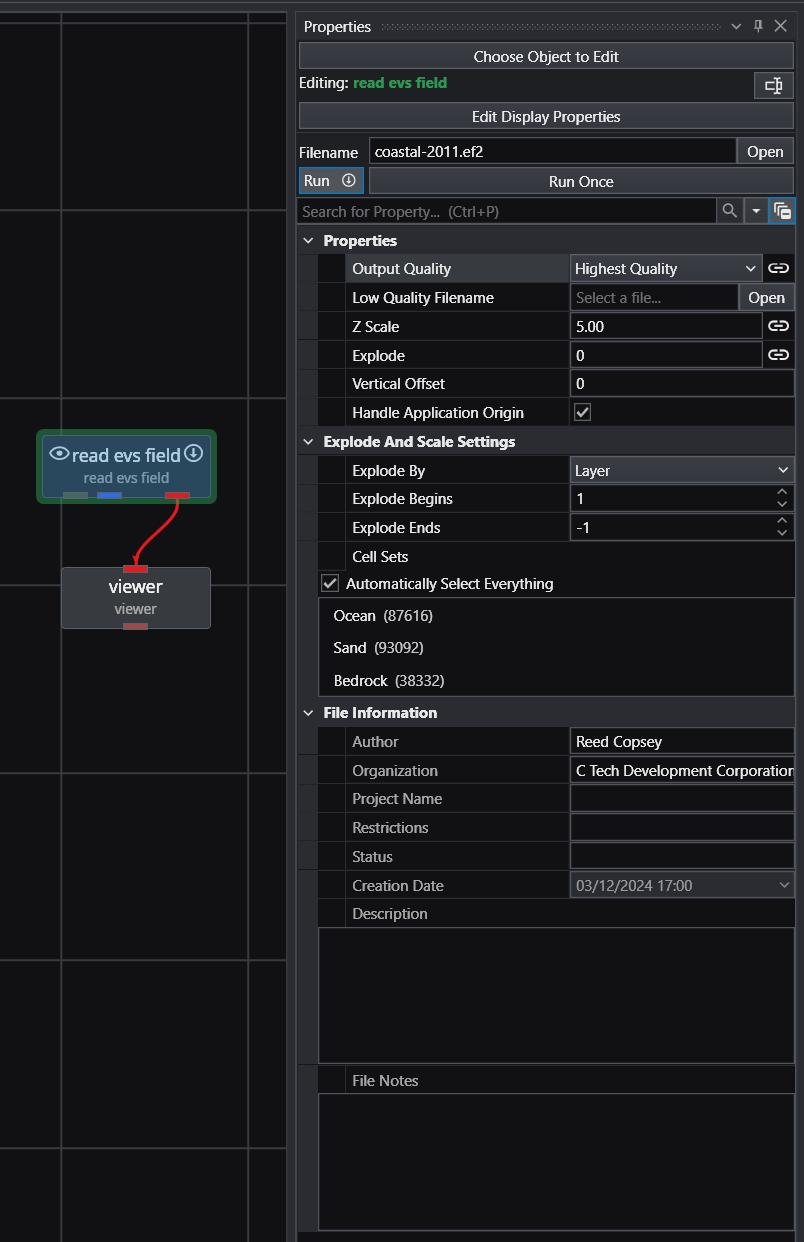
You can see that read evs field is specifying two different EFB files. The Output Quality is set to Highest Quality and is Linked (black circle). The viewer shows:
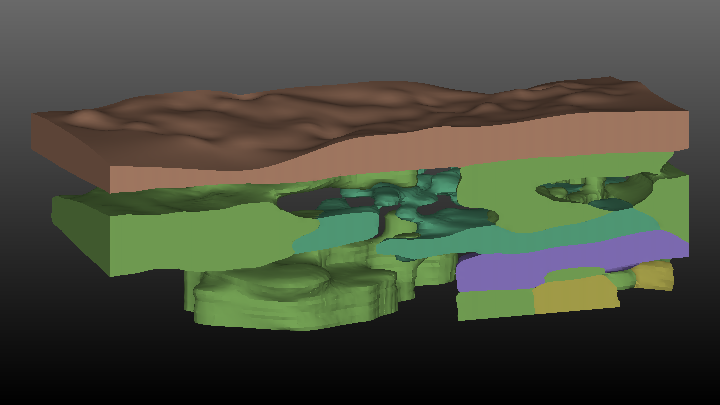
If we change the Output Quality on the Home Tab
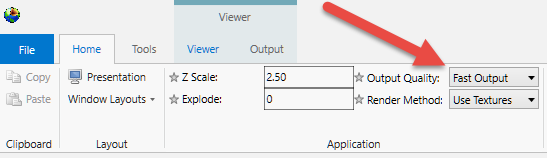
It changes the setting in read evs field and the viewer changes to show:
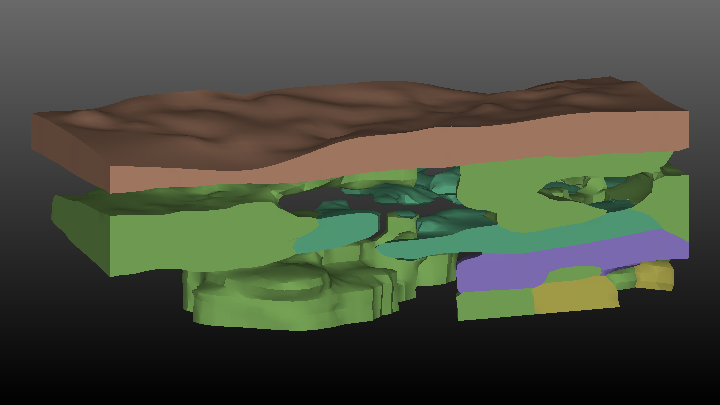
Though you “can” change the Output Quality in read evs field, it is best to change it on the Home Tab to make sure that all read evs field modules in your application will have the same setting. This is not relevant to this simple application, but if we were using a cutting surface (saved as fine and coarse EFBs) and doing distance to surface operations on a very large grid, this synchronization would be important.
read evs field effectively has explode_and_scale and an external_faces module built in. This allows the module to perform Z Scaling, Exploding, Nodal or Cell data selection, and selection of cell sets.
Ports
| Direction | Name | Type | Description |
|---|---|---|---|
| Output | File Notes | String | Text containing the notes stored in the file. |
| Output | Output | Field | A field containing EVS field file contents. |
| Output | Output Object | Renderable | A renderable object displaying the EVS field file contents. |
| Output | Geologic Legend Information | Geology Legend | Information required to properly label stratigraphic output or lithology within Legend. |
Properties
| Property | Type | Description |
|---|---|---|
| Filename | String | The field file to read. |
| Execute | Button | Forces the module to run even if the Allow Run toggle has been turned off. This allows the user to make a number of changes before updating. |
| Allow Run | Boolean | When deselected, prevents the module from running. |
| Output Quality | Choice: Highest Quality, Fast | Controls whether to use the high quality or low quality file. |
| Low Quality Filename | String | The field file to read when in low output quality mode. |
| Z Scale | Double | The vertical exaggeration to be applied to the output object. |
| Explode | Double | The distance between exploded layers, cell sets or materials. For example, an explode distance of 20 will separate each geologic layer by 20 feet from the layer above it and the layer below it. The explode distance incorporates the scale factor, so if a scaling factor of 5 is specified for a 10 foot thick layer to which an explode factor of 20 is applied, the geologic layers will be separated by 100 feet. |
| Vertical Offset | Double | Translates the entire model in Z by the value input multiplied by the Z exaggeration. This is useful for moving the model to avoid coincident objects. |
| Handle Application Origin | Boolean | Controls whether the geometry in an EF2 file is automatically translated to application origin or read without any modifications. |
Explode And Scale Settings
| Property | Type | Description |
|---|---|---|
| Explode By | Choice: Layer, Material, Cell Set, Lithology | Determines what information is used to explode the layers or materials. Layer and Material are nodal data components that should be present with any hierarchical geologic model. The Cell Set option allows you to explode by the Cell Set number. The Lithology option is to be used only with Adaptive Indicator Kriged geologic models, which have a cell data component called Lithology corresponding to integer values assigned to material regions. |
| Explode Begins | Integer | Determines the first layer or material that will be exploded. |
| Explode Ends | Integer | Sets the last layer or material that will be exploded. This value defaults to -1, which explodes all remaining layers or materials. |
| Cell Sets | Multi-select | Allows selected cell sets to be turned off in the output. |
File Information
| Property | Type | Description |
|---|---|---|
| Author | String | Displays the Author of the file. |
| Organization | String | Displays the Organization of the file. |
| Project Name | String | Displays the Project Name of the file. |
| Restrictions | String | Displays the Restrictions information of the file. |
| Status | String | Displays the Status information of the file. |
| Creation Date | Date | Displays the Creation Date if it is set in the file. |
| Description | String | Displays the Description of the file. |
| File Notes | String | Displays the File Notes if they are set in the file. |
EVS Field File Formats and Examples EVS Field file formats supplant the need for UCD, netCDF, Field (.fld), EVS_Geology by incorporating all of their functionality and more in a new file format with three mode options. .eff ASCII format, best if you want to be able to open the file in an editor or print it