intersection shell
The intersection shell is a powerful module that incorporates some of the characteristics of plume shell, yet allows for a large number of sequential (serial) subsetting operations, just like intersection.
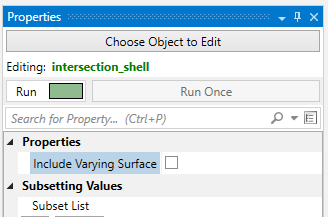
To get the functionality of (the now deprecated) constant shell module, you would turn off Include Varying Surface.
Because this module has “intersection” in its name, it allows you to add any number of subsetting operations.
Each operation can be “Above” or “Below” the specified Threshold value, which in Boolean terms corresponds to:
- A and B where both the A & B operations are set to Above or
- A and (NOT B) where the A operation is set to above and the B operation is set to Below.
However the operator is always “and” for intersection modules. If you need an “or” operator to achieve your subsetting, you need the union module.
This module creates an efficient and superior visualization of a plume that can be sent directly to the viewer for rendering. The intersection shell module outputs a specialized version of a sequentially subset plume that is suitable for VRML export for 3D printing to create full color physical models.
For output to 3D printing, please jump to the Issues for 3D Printing topic.
Without intersection shell it is very difficult if not impossible to create a VRML file suitable for printing, especially with complex models.
intersection shell is the module that can create an ISOSURFACE. In other words, a surface (not volume) representing part(s) of your plume.
It has two (+) toggles which control the visibility of a plume “shell”.
In general a plume external shell has two components: that portion which is exactly EQUAL to the Subsetting Level, and that portion which is greater than the Subsetting Level.
When both toggles are on (default) the plume is:
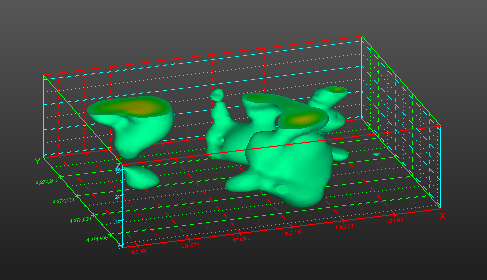
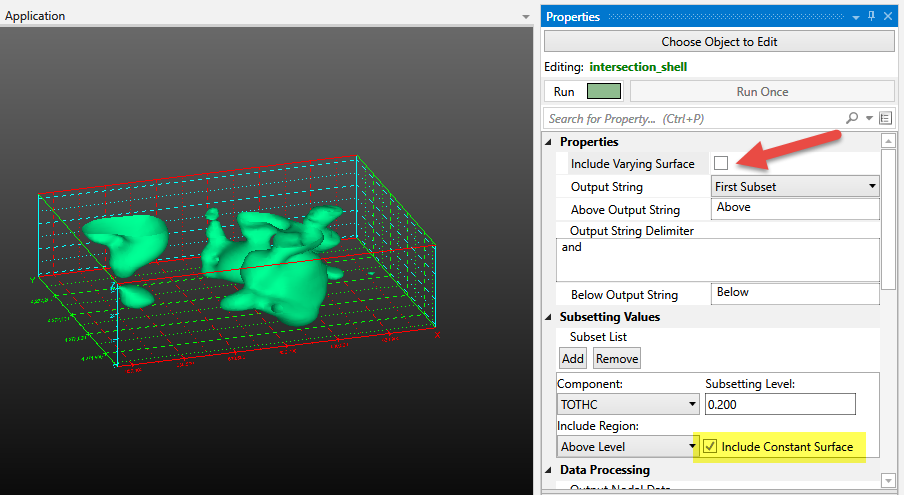
If you display only the Constant Surface (component 1) you get this:
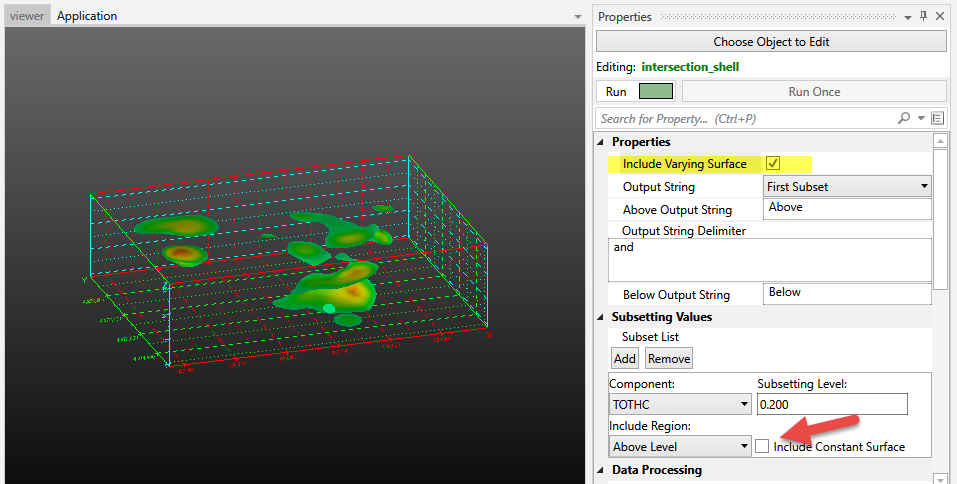
If you display only the Varying Surface (component 2) you get this:
Ports
| Direction | Name | Type | Description |
|---|---|---|---|
| Input | Input Field | Field | The field to use for subsetting. |
| Output | Output Field | Field | The subset field. |
| Output | Status | String | Text containing the intersection subset information. |
| Output | Output Object | Renderable | A renderable object to display. |
Properties
| Property | Type | Description |
|---|---|---|
| Allow Run | Boolean | The Allow Run Toggle will prevent the module from running. This allows the user to make multiple changes without the module constantly updating. |
| Execute | Button | The Run Once button will cause the module to run one time even if the Allow Run toggle has been turned off. |
| Include Varying Surface | Boolean | The Include Varying Surface Toggle controls the visibility of the surface(s) having varying data (based on the Map Component). The ability to control visibility of portions of the output allows you to use multiple intersection shell modules and color or texture map portions of each plume differently. |
| Output String | Choice: First Subset, All Subsets, Last Subset | The Output String contains the name(s) and value(s) of the intersection subsets. |
| Above Output String | String | When the Include Region is set to Above, the Output String will use this string as its identifier. |
| Output String Delimiter | String | When the Output String consists of All Subsets, the Delimiter is the string occurring between each subset text. |
| Below Output String | String | When the Include Region is set to Below, the Output String will use this string as its identifier. |
Subsetting Values
| Property | Type | Description |
|---|---|---|
| Subset List | Multi-select | The list of serial subsets. Each subset includes a component, subsetting direction, subsetting level, and constant surface inclusion toggle. |
Data Processing
| Property | Type | Description |
|---|---|---|
| Output Nodal Data | Multi-select | The Output Nodal Data choice allows the user to select the nodal data to include in the output. |
| Output Cell Data | Multi-select | The Output Cell Data choice allows the user to select the cell data to include in the output. |
External Faces
| Property | Type | Description |
|---|---|---|
| Split Edges | Boolean | Split surfaces when the edge between two neighboring cells is sharp. This improves rendering in most cases. |
| Constant Surfaces Are Not Split | Boolean | When on, the constant surfaces in the resulting plume are not split. This gives them a smoother appearance in some cases. |
| Split Edge Angle | Double | The Split Edge Angle is the maximum angle allowed between two adjacent faces before they are disconnected to create visually sharp edges. |