
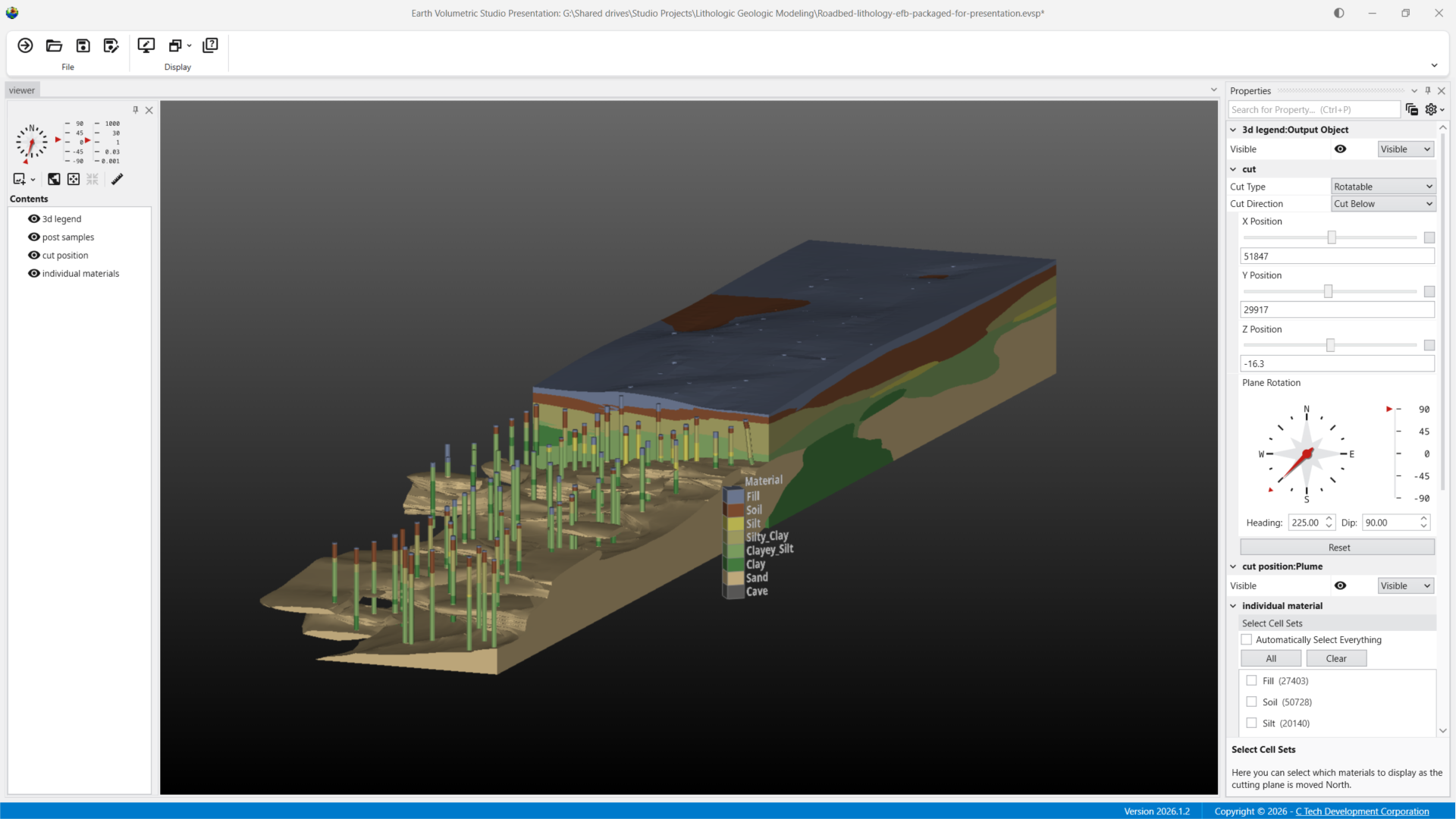
Put your stakeholders in the driver’s seat. EVS Presentations let you package any Earth Volumetric Studio application into a single, self-contained file that anyone can open and explore — completely free. Your recipients simply install EVS and select the “Presentation or Demo License” option to run your .evsp files at no cost. Give regulators, clients, and project teams the ability to interact with your 3D models on their own terms, building understanding and confidence in your results.
Why EVS Presentations?
Traditional deliverables, static images, cross-sections, reports, leave your audience guessing. EVS Presentations put interactive 3D models directly in their hands, so they can explore the data themselves and reach their own conclusions.
Single-File Deliverable — Package your entire application into one .evsp file that can be emailed or shared like any other document.
Free to Use — Recipients install Earth Volumetric Studio for free, select the “Presentation or Demo License” option, and open your .evsp file. No paid license needed.
Fully Interactive — You control which parameters your audience can adjust: plume thresholds, cross-section positions, layer visibility, explode distances, and more.
Built for Any Audience — Whether your audience is technical or non-technical, EVS Presentations make complex subsurface data accessible and understandable.
What Your Audience Can Do
Every EVS Presentation is different. You decide which parameters to expose. Common interactive capabilities include:
- Adjust contaminant plume thresholds to visualize different concentration levels
- Move slices and cross-sections through the model in real time
- Draw custom paths for thin-fence cross-sections
- Change vertical exaggeration (Z-scale) and explode distance between geologic layers
- Toggle visibility of individual layers, boreholes, surfaces, and other model elements
- Rotate, zoom, and pan the full 3D scene
How It Works
1. Build in Studio — Create your analysis application in Earth Volumetric Studio using the full power of its modular workflow.
2. Define Controls — Choose which parameters your audience can interact with — thresholds, slices, visibility toggles, and more.
3. Share — Export as a single .evsp file and send it to anyone. They install EVS, choose “Presentation or Demo License,” and start exploring. No paid license needed.
Get Started
EVS Presentations are available to all Floating and Enterprise License customers of Earth Volumetric Studio. To learn more about creating EVS Presentations or to see a demonstration, contact us.