The Input section is where you select the source file for your 3D PDF.
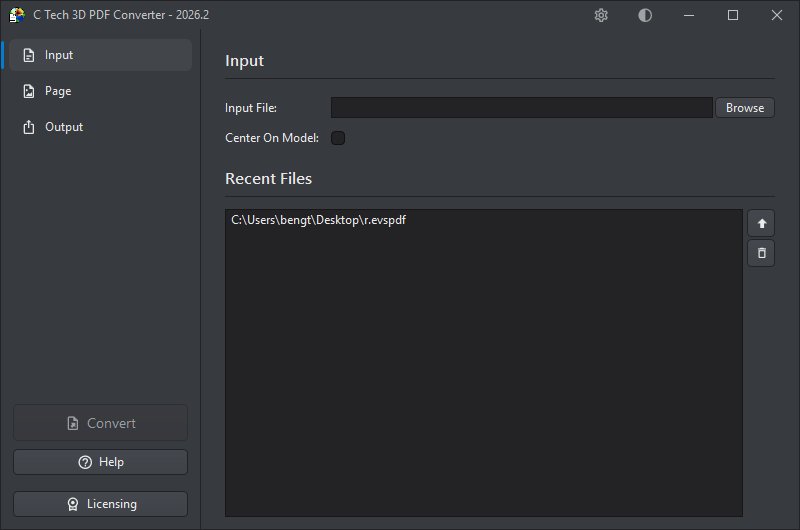
Input File
Enter the path to an .evspdf file, or click Browse to select one. You can also drag and drop the file onto the input field.
Center On Model
When checked, the converter repositions the scene so the model is centered at the coordinate origin. This is recommended for models located far from the origin, which can display incorrectly in the PDF viewer with symptoms like jittery rotations and flickering surfaces. Centering the model eliminates these problems. Reported coordinates will still reflect the original model position.
Recent Files
The Recent Files list shows up to 15 previously used EVSPDF files, making it easy to switch between projects. Double-click any entry to select it as the current input, or use the buttons on the right:
| Button | Action |
|---|---|
| Use | Set the selected file as the current input |
| Remove | Remove the file from the recent list |
File Preview
Hovering over any file in the Recent Files list shows a tooltip with metadata and a preview image of the model.
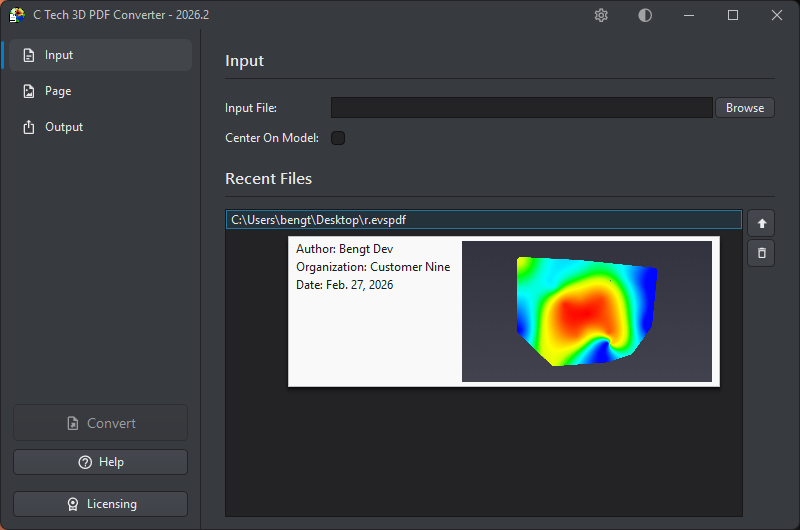
The following information is shown where available:
| Field | Description |
|---|---|
| Author | The person who created the file |
| Organization | The organization or company |
| Date | The date the file was created |
| Project | The project name (hidden if not set) |
| Description | A description of the contents (hidden if not set) |
| Restrictions | Any usage restrictions (hidden if not set) |
| Preview | A thumbnail image of the 3D model |