When you renew your subscription, the new date is written to your dongle from your C Tech account. C Tech no longer sends .ctupdate files.
Automatic renewal
While you are signed in, the License Manager checks every fixed EVS dongle attached to the computer against your C Tech account. It does this when it starts, when you sign in, when your licenses change and once a day. When the dongle’s dates differ from your account, it writes the new dates and shows a notification from the system tray.
Nothing else is needed. You only have to be signed in to the C Tech account the dongle is registered to.
Check now
Attach the dongle and open the C Tech License Manager.
Sign in to your C Tech account if you are not signed in. You can stay in Dongle mode.
Open the EVS Dongle page and select Check for Dongle Updates.
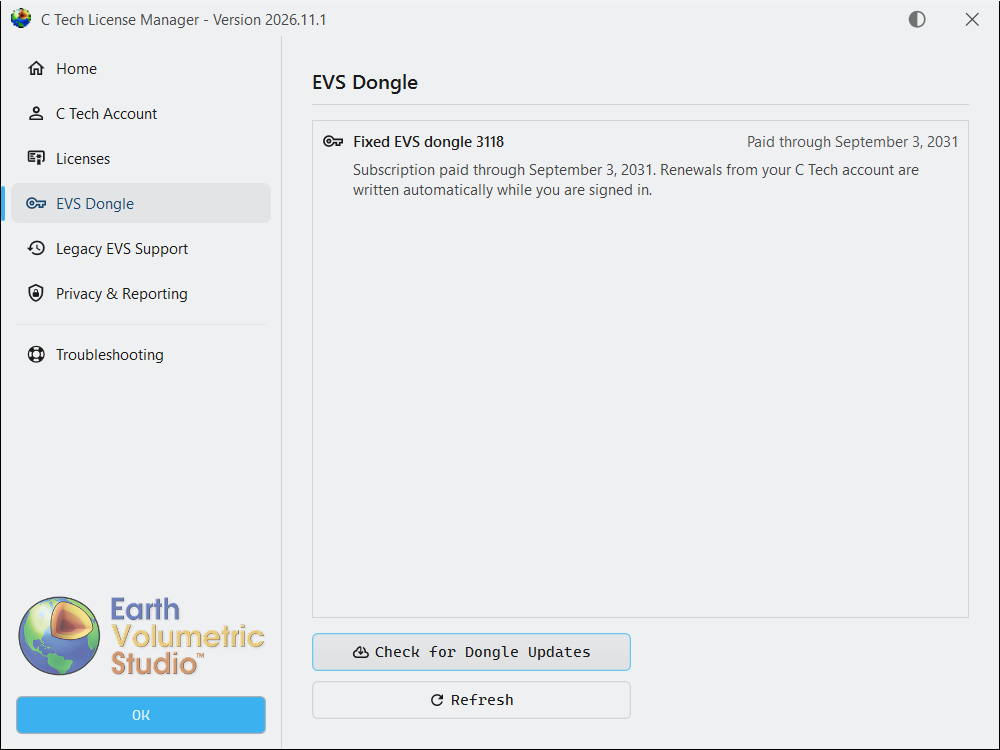
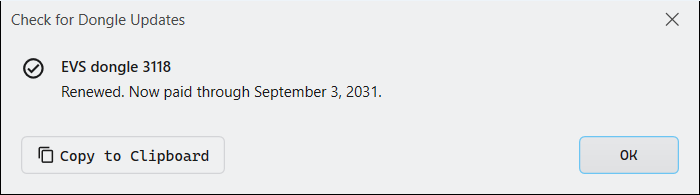
A window shows the result for each dongle, either that it is up to date or what was written. Select Copy to Clipboard to send the results to C Tech support.
Computers without internet access
Take the dongle to a computer that has internet access and this License Manager, sign in, and select Check for Dongle Updates. Then return the dongle. You need to do this once per renewal.
Messages you may see
- This dongle is not registered to your C Tech organization. Contact C Tech with the dongle number to have it added.
- This dongle holds a lifetime this License Manager does not support. Select Check for Dongle Updates to write your subscription.
- The license dongle’s subscription ended. Renew your subscription with C Tech. After it is renewed on your account, sign in and the License Manager writes the new date.
- This license dongle has no subscription end date and is no longer supported. Contact C Tech to replace it.
.ctupdate files
This License Manager does not open .ctupdate files. If you received one for an older version, see License Updates for EVS 2026.3.5 and earlier.