Earth Volumetric Studio is available only as download from https://ctech.com/downloads/
Each user should install the latest versions available from the download site:
- Earth Volumetric Studio
- Earth Volumetric Studio Sample Projects
Warning
You need Administrator rights to install EVS.
Run each executable and follow the instructions to set your preferred install folder and options.
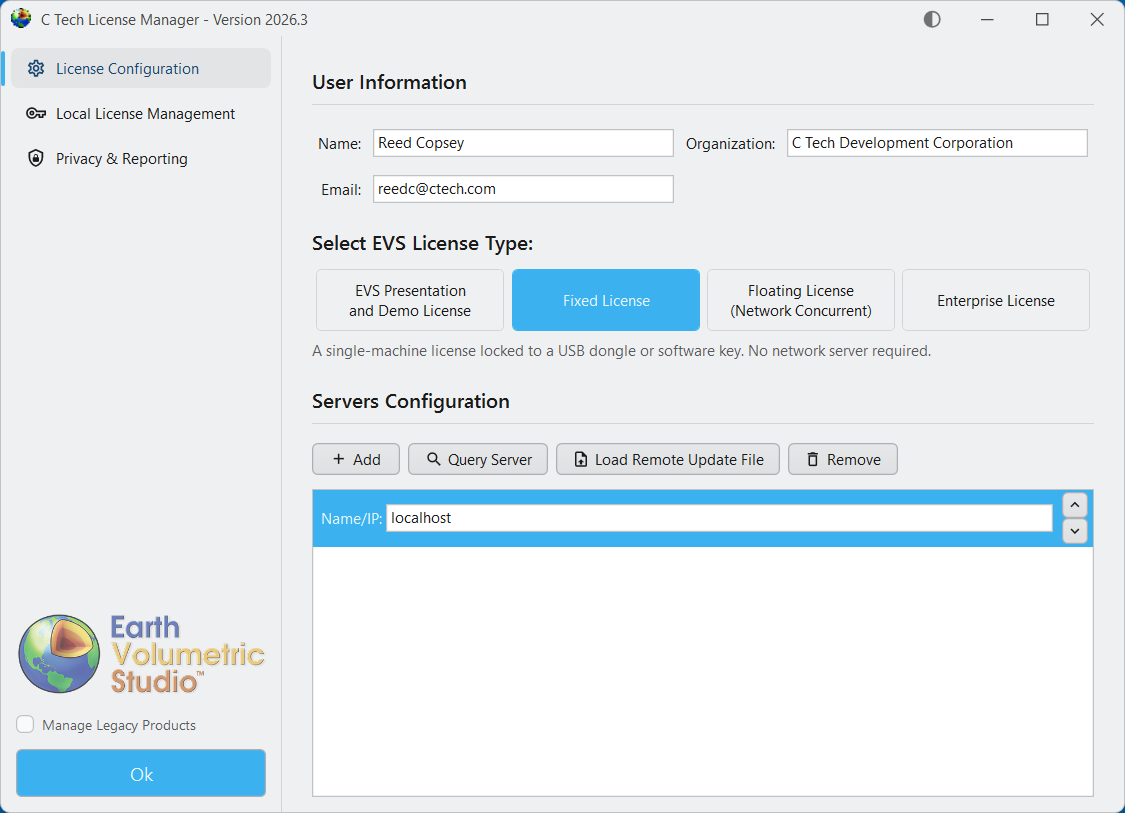
After installing EVS, you must set up your license type using the C Tech License Manager. This tool also has many other features discussed in this topic.
Below are the correct options for a Fixed (USB Dongle) License. Enter your name and company name correctly. This information helps C Tech support you if you have problems.
Before you close the C Tech License Manager, click the “Privacy & Reporting” tab on the left side to choose how crash data is sent to C Tech.
Tip
We recommend choosing “Anonymous Reporting” so C Tech can receive crash reports that help us find and fix software problems. These reports do not contain personal information and cannot be linked to your account.
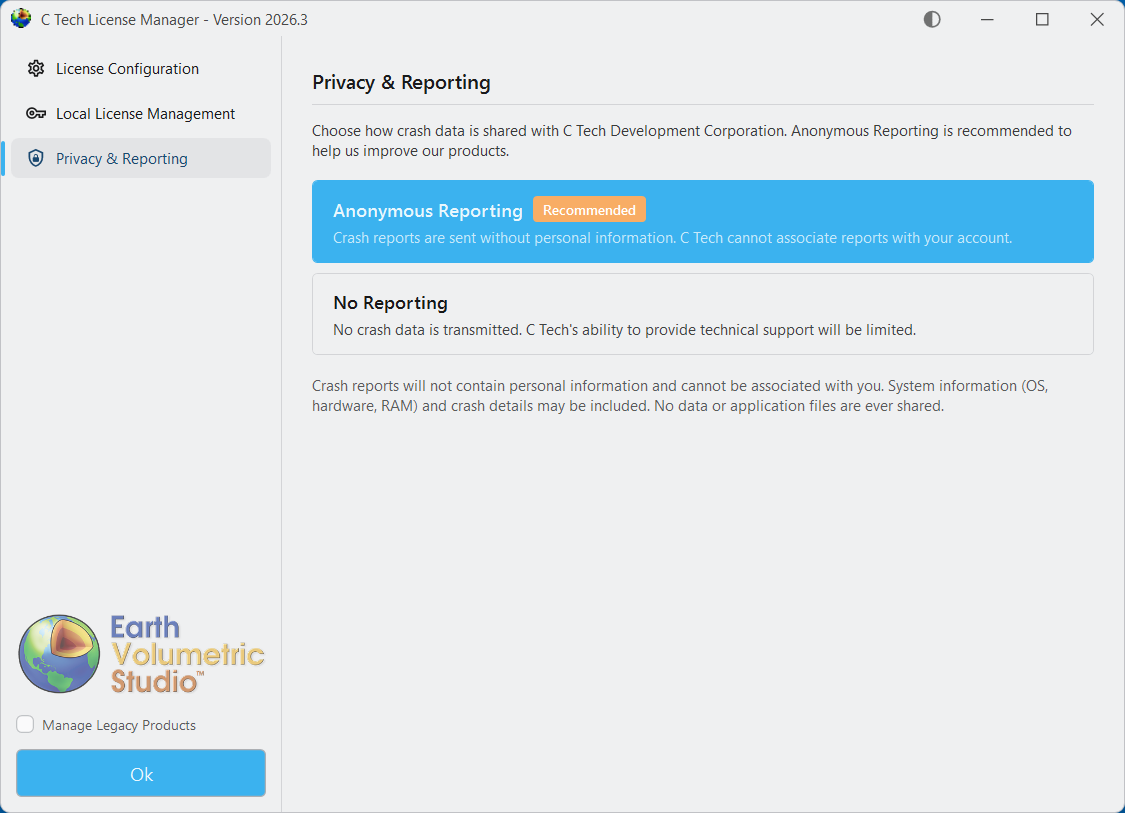
When you click “Ok” to close the C Tech License Manager, it will not open again until you start it manually. Your settings will apply each time you run Earth Volumetric Studio.